
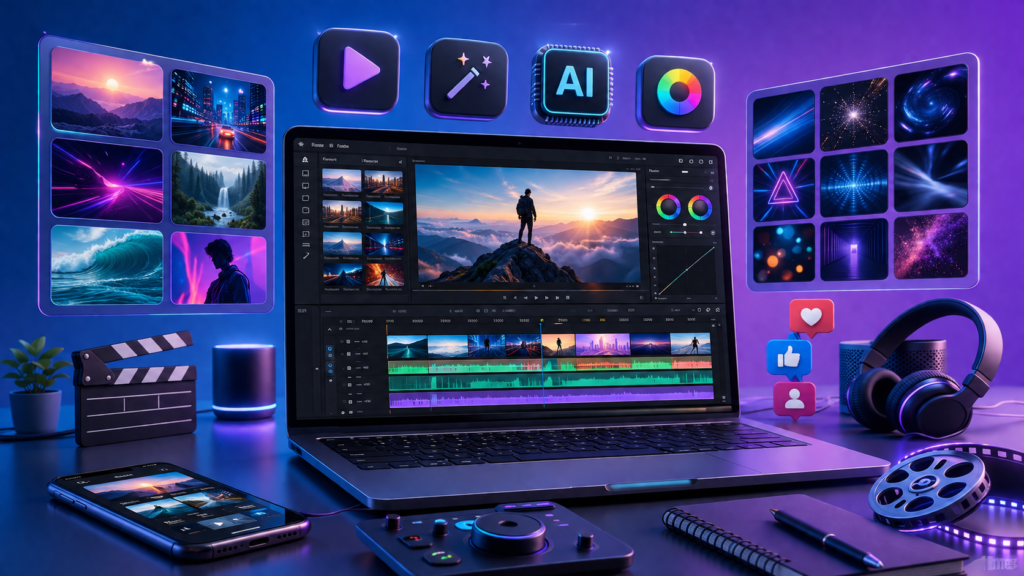
Creating high-quality videos no longer requires years of editing experience or expensive software. Modern creators need fast, professional, and visually engaging content that captures attention across platforms like YouTube, TikTok, Instagram Reels, and Facebook. This growing demand has made Template by EditProTips Tips a valuable resource for beginners and experienced editors alike.
Template by EditProTips Tips offers a collection of creative editing resources designed to simplify video production without sacrificing creativity. These templates are built for popular editing applications and are easy to customize according to your own style.
Free AI Prompts to Create EditProTips Style Templates
Urban Gen-Z Creator Cinematic Portrait Template
Ultra realistic 3D cinematic portrait of a stylish Indian man, modern Gen-Z creator look, confident pose, standing in an urban street environment, wearing trendy casual outfit (oversized hoodie, sneakers, sunglasses), soft golden hour lighting, shallow depth of field, blurred city background, aesthetic Instagram reels vibe, smooth skin tones, sharp facial details, natural expression, cinematic color grading, 85mm lens look, bokeh lights, high contrast, premium lifestyle photography style, ultra detailed, 4K, no text, no watermark

Dark Attitude – Cinematic Bad Boy Template

Ultra realistic cinematic portrait of a stylish Indian bad-boy, intense attitude expression, sharp jawline, messy hair, light stubble beard, wearing black leather jacket, chain accessories, rings, and sunglasses, standing in a dark urban street at night, neon lights (blue and red) reflecting on face, moody lighting, dramatic shadows, smoke/fog atmosphere, cinematic depth of field, low angle shot for dominance, confident body language, luxury street vibe, high contrast color grading, 85mm lens look, bokeh lights, ultra detailed skin texture, modern Instagram reels aesthetic, 4K, no text, no watermark
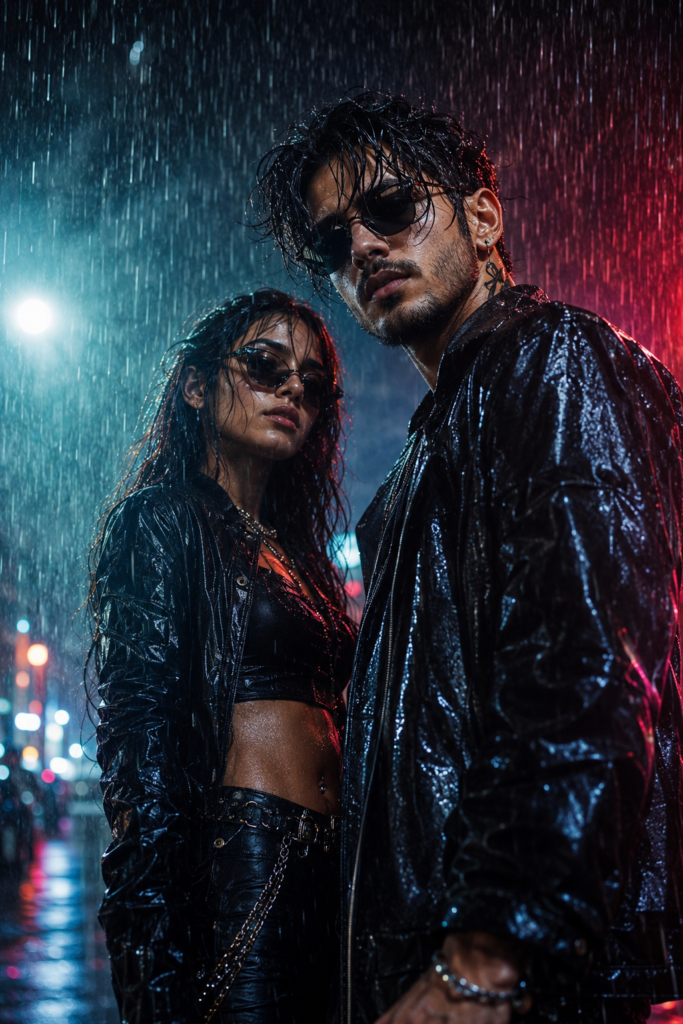
Neon Rain Bad-Boy Cinematic Template
Ultra realistic cinematic portrait of a stylish Indian bad-boy and girl standing in heavy rain, intense attitude expression, sharp jawline, messy wet hair, light stubble beard, wearing black leather jacket soaked with rain, chain accessories, rings, and dark sunglasses, raindrops visible on face and clothes, dark urban street at night, neon lights (blue, red, purple) reflecting on wet skin and ground, dramatic moody lighting, cinematic shadows, rain splashes and water droplets frozen in motion, fog and smoke atmosphere, low angle shot for dominance, confident body language, luxury street vibe, high contrast cinematic color grading, 85mm lens look, shallow depth of field, glowing bokeh lights, ultra detailed skin texture, modern Instagram reels aesthetic, 4K, no text, no watermark
Wedding Video Template

Create a luxury 3D wedding video editing template. Show elegant photo frames, romantic golden lights, cinematic camera effects, beautiful flowers, soft particles, premium typography placeholders, and a dreamy wedding atmosphere. Make it look like a professional wedding video template preview with realistic 3D design, high quality render, soft shadows, luxury style, no text, no watermark.
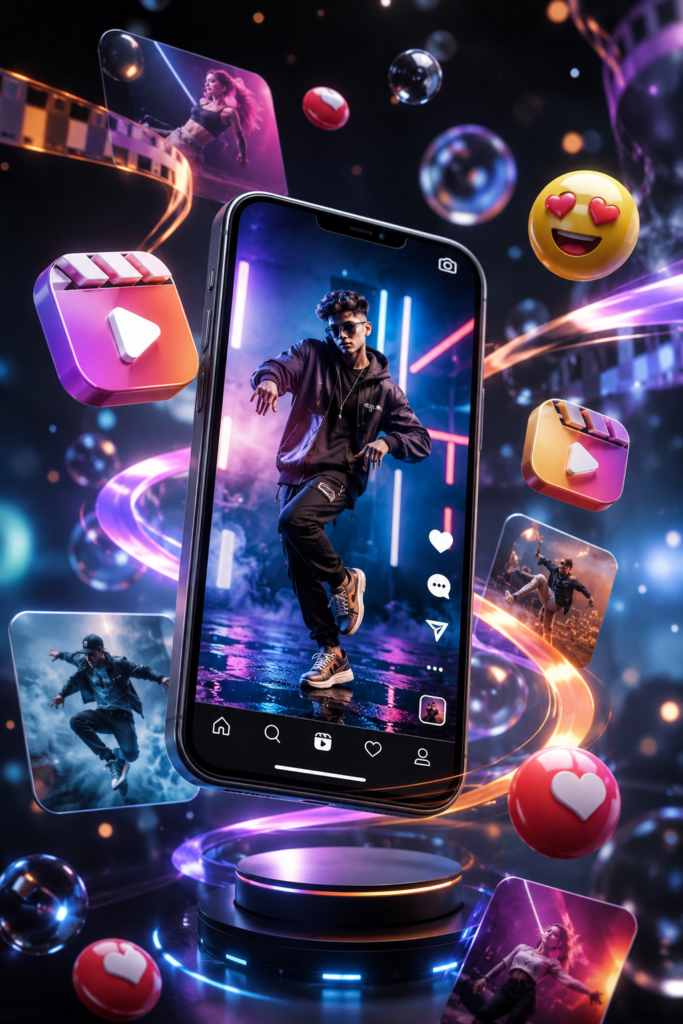
Social Media Reel Template
Create a trendy 3D Instagram Reel video template concept. Show a smartphone displaying
a creative short video, floating social media elements, colorful motion effects,
3D emojis, video thumbnails, dynamic transitions, and modern graphic elements.
Use a vibrant futuristic style with realistic lighting, depth, shadows, and premium
digital art quality. No text, no watermark, ultra HD 3D render.
Travel Memory Template

Create a stunning 3D travel video template design. Show floating travel photos,
a camera, passport, map elements, airplane icons, scenic landscapes inside photo
frames, and cinematic video effects. Create a premium travel memories editing
template with realistic 3D objects, warm lighting, smooth composition, modern
creative style, ultra detailed render, no text, no watermark.
What Is Template by EditProTips Tips?
Template by EditProTips Tips is a collection of professionally designed video editing templates created to help content creators produce attractive videos quickly. Instead of manually adding animations, transitions, effects, and typography, users can import a template and personalize it with their own media.
These templates are suitable for multiple types of content, including:
- Social media videos
- Promotional advertisements
- YouTube intros
- Product showcases
- Travel vlogs
- Wedding videos
- Gaming edits
- Educational presentations
- Business promotions
- Short-form content
Each template provides a structured design while still allowing complete creative flexibility.
Why Video Editing Templates Matter
Video editing often involves repetitive tasks like:
- Aligning clips
- Creating smooth transitions
- Adding motion graphics
- Synchronizing music
- Designing titles
- Applying consistent color styles
Templates automate much of this process, allowing creators to focus more on storytelling than technical editing.
How Template by EditProTips Tips Helps Content Creators
Every content creator faces deadlines, creative blocks, and time limitations. EditProTips templates solve these challenges by providing ready-to-use designs that speed up production.
Some practical examples include:
YouTubers
Create professional intros, outros, and engaging transitions that improve viewer retention.
Instagram Creators
Produce aesthetic Reels with animated text, smooth transitions, and trending visual styles.
TikTok Editors
Generate fast-paced edits that match viral content trends.
Small Businesses
Design promotional videos without hiring expensive motion designers.
Key Features of Template by EditProTips Tips
One reason many creators prefer EditProTips templates is the balance between simplicity and professional design.
Ready-to-Use Layouts
Every template comes with pre-designed scenes that reduce editing time.
Easy Customization
Users can replace videos, images, colors, fonts, and music without rebuilding the entire project.
Professional Animations
Smooth motion graphics create a premium viewing experience.
Modern Typography
Professionally designed text animations improve readability and visual appeal.
High-Quality Visual Effects
Templates often include transitions, overlays, cinematic effects, and motion elements.
Benefits of Using Ready-Made Editing Templates
Using professional templates offers advantages beyond saving time.
Faster Workflow
Editors can complete projects in a fraction of the usual editing time.
Consistent Branding
Businesses and creators can maintain a recognizable visual identity across all videos.
Better Engagement
Professional animations and transitions keep viewers interested.
Beginner Friendly
Templates remove much of the technical complexity associated with video editing.
Types of Templates Available
Template by EditProTips Tips typically includes resources for different creative needs.
Intro Templates
Perfect for YouTube channels and branding.
Outro Templates
Encourage viewers to subscribe or watch additional videos.
Transition Packs
Improve scene changes with cinematic effects.
Text Animation Templates
Create attractive headlines and captions.
Social Media Templates
Designed specifically for Instagram, TikTok, Facebook, and Shorts.
Top Features of Template by EditProTips Tips
- Professionally designed layouts
- Smooth transitions
- Modern typography
- High-quality motion graphics
- Easy drag-and-drop editing
- Mobile-friendly options
- Beginner-friendly interface
- Fast rendering workflow
- Reusable project files
- Time-saving editing process
Why Templates Improve Creative Workflow
Creative work should focus on storytelling, not repetitive technical adjustments.
Templates provide a strong foundation while allowing complete creative freedom. Instead of wondering where to place text or how long transitions should last, creators can focus on selecting the best footage and refining their message.
How to Use Template by EditProTips Tips
Using EditProTips templates is generally straightforward.
- Download the desired template.
- Open the supported editing application.
- Import the project file.
- Replace placeholder media with your own photos or videos.
- Edit text, fonts, and colors.
- Add your preferred music.
- Preview the animation.
- Export the final video in your desired resolution.
Most users can complete these steps within a short period, even without advanced editing knowledge.
Template Customization Options
One of the biggest advantages of Template by EditProTips Tips is the flexibility it offers. While every template comes with a professionally designed layout, you’re never limited to the default appearance. Nearly every element can be customized to match your personal style, brand identity, or project requirements.
Here are some of the most common customization options available:
Replace Media
Swap the placeholder images and videos with your own content without affecting the overall design. This makes it easy to adapt the same template for multiple projects.
Edit Text
Update titles, captions, subtitles, and call-to-action messages using your preferred wording. Most templates allow you to change font size, color, spacing, and alignment.
Change Colors
Adjust the color palette to match your brand, campaign, or creative theme. Consistent colors help build a recognizable visual identity across your content.
Why Creators Prefer Professional Editing Templates
Professional creators often work under tight deadlines while managing multiple content platforms. Designing every project from scratch isn’t always practical. Templates provide a balance between efficiency and creative freedom.
Here are some reasons professionals rely on editing templates:
- Faster project completion
- Consistent visual branding
- Improved workflow
- Reduced repetitive editing
- Easier collaboration among team members
- Professional-quality animations
- Better client satisfaction
- Higher productivity
- Simplified revisions
Using templates doesn’t replace creativity—it gives creators more time to focus on storytelling, pacing, and audience engagement instead of rebuilding the same effects repeatedly.
Traditional Editing vs. Template by EditProTips Tips
The following comparison highlights the differences between manual editing and template-based editing.
| Feature | Traditional Editing | Template by EditProTips Tips |
|---|---|---|
| Editing Time | High | Significantly Reduced |
| Learning Curve | Steep | Beginner-Friendly |
| Project Setup | Manual | Ready to Use |
| Animations | Created Manually | Pre-Built |
| Transitions | Designed Individually | Included |
| Typography | Requires Design Skills | Professionally Designed |
| Branding | Takes More Time | Easy to Customize |
| Productivity | Moderate | High |
| Consistency | Depends on Experience | Highly Consistent |
| Suitable For | Advanced Editors | Beginners and Professionals |
Reasons to Use EditProTips Templates for Your Projects
- Save valuable editing time.
- Produce professional-looking videos quickly.
- Improve consistency across all content.
- Reduce repetitive editing tasks.
- Customize every project with ease.
- Create engaging videos for multiple platforms.
- Learn editing techniques from professionally built timelines.
- Maintain high-quality visuals without advanced design knowledge.
- Complete freelance projects more efficiently.
- Focus more on creativity than technical setup.
Best Practices for Using Video Editing Templates
Templates deliver the best results when combined with thoughtful editing choices. Consider the following recommendations:
Keep Branding Consistent
Use the same fonts, colors, and logo placement throughout your videos. This creates a recognizable identity for your audience.
Avoid Overusing Effects
A template already includes attractive animations. Adding too many extra effects can make the video feel cluttered and distract viewers from your message.
Choose High-Quality Footage
Even the best template cannot compensate for blurry or poorly lit videos. Use high-resolution media whenever possible.
Common Mistakes to Avoid
Many beginners unknowingly reduce the quality of their videos by making simple mistakes. Avoid these common issues:
- Using low-resolution images or videos.
- Leaving placeholder text unchanged.
- Mixing too many font styles.
- Applying unnecessary filters or effects.
- Ignoring safe margins for mobile screens.
- Exporting videos with incorrect settings.
- Using copyrighted music without permission.
- Forgetting to preview the final project before publishing.
By paying attention to these details, you can create polished videos that look professional and perform better across platforms.
Tips for Choosing the Right Template
Not every template is suitable for every project. Selecting the right one depends on your goals, audience, and content style.
Consider these factors before downloading a template:
- Purpose: Is the video educational, promotional, cinematic, or entertaining?
- Platform: Will it be published on YouTube, TikTok, Instagram, or Facebook?
- Style: Choose a design that matches your brand’s personality.
- Duration: Short-form and long-form videos require different pacing.
- Customization: Look for templates that allow easy editing of text, colors, and media.
- Compatibility: Ensure the template supports your preferred editing software.
Taking a few minutes to evaluate these points can save significant editing time later.
How Templates Support Content Growth
Publishing content consistently is one of the biggest challenges for creators. Templates make it easier to maintain a regular posting schedule by reducing production time.
Whether you’re managing a personal channel, a business page, or client accounts, using Template by EditProTips Tips helps streamline your workflow. Instead of spending hours on repetitive design tasks, you can focus on producing valuable content, experimenting with new ideas, and engaging with your audience.
Creators who maintain consistent branding and publish high-quality videos regularly are more likely to build trust, increase engagement, and grow their online presence over time.
Future of Creative Templates and AI-Assisted Editing
Video editing continues to evolve as artificial intelligence becomes more integrated into creative workflows. Modern editing software can already automate tasks like background removal, subtitle generation, object tracking, color correction, and audio enhancement. Templates are evolving alongside these technologies, making professional-quality editing more accessible than ever.
Future versions of Template by EditProTips Tips are likely to include smarter automation while still giving creators full control over their projects. Rather than replacing creativity, AI-powered templates help reduce repetitive tasks so editors can spend more time developing ideas, refining stories, and creating engaging content.
Some trends shaping the future of video editing include:
- AI-assisted scene detection
- Automatic subtitle generation
- Smart color grading
- Voice enhancement tools
- One-click background replacement
- Intelligent beat synchronization
- Cloud-based project collaboration
- Personalized template recommendations
- Cross-device editing
- Faster rendering using AI optimization
As these technologies continue to improve, creators who combine quality templates with original storytelling will be well-positioned to produce professional content efficiently.
Tips to Get the Best Results with Template by EditProTips Tips
Even the best template performs better when paired with thoughtful editing. Keep these practical tips in mind:
Plan Before Editing
Organize your video clips, photos, music, and branding assets before opening the template. A well-prepared project saves time during editing.
Keep Your Message Clear
Avoid adding unnecessary text or effects. A clean design helps viewers focus on your content.
Who Should Use Template by EditProTips Tips?
These templates are suitable for a wide range of users, including:
- YouTube creators
- Instagram Reel creators
- TikTok influencers
- Facebook content publishers
- Freelance video editors
- Digital marketers
- Small business owners
- Online educators
- Agencies
- Students learning video editing
Whether you’re producing daily social media content or professional client projects, templates provide a faster and more organized workflow.
Frequently Asked Questions
What is Template by EditProTips Tips?
Template by EditProTips Tips is a collection of professionally designed video editing templates that help creators produce high-quality videos quickly. These templates include animations, transitions, typography, and layouts that can be customized for different projects.
Are EditProTips templates free to use?
Many EditProTips resources may be available free, while some premium templates can offer additional features, advanced designs, or exclusive creative elements. Availability depends on the specific template.
Which editing apps support EditProTips templates?
Many templates are designed for popular editing applications such as CapCut, VN Video Editor, and other compatible video editing software. Always check the template requirements before downloading.
Can beginners use EditProTips templates?
Yes. Most templates are designed with beginners in mind. They require very little editing experience and allow users to replace media, edit text, and export professional-looking videos with minimal effort.
How do templates improve video editing speed?
Templates eliminate repetitive tasks like building animations, creating transitions, and arranging layouts from scratch. This significantly reduces editing time while maintaining a professional appearance.
Are EditProTips templates customizable?
Absolutely. Most templates allow users to replace images and videos, edit text, change fonts and colors, adjust timing, insert logos, and modify music according to their project requirements.
Final Thoughts
Creating professional videos doesn’t always require advanced editing skills or hours of manual work. Template by EditProTips Tips gives creators an efficient way to produce polished, engaging, and visually consistent content while maintaining complete creative control.
From beginners learning their first editing software to professionals handling multiple client projects, these templates simplify the editing process, improve productivity, and help maintain a high standard of quality. With customizable layouts, modern animations, and support for popular editing applications, EditProTips templates offer a practical solution for anyone looking to create impressive videos in less time.